With Figma Make, we made a valuable tool in the time it takes to make coffee. Here’s why that matters.
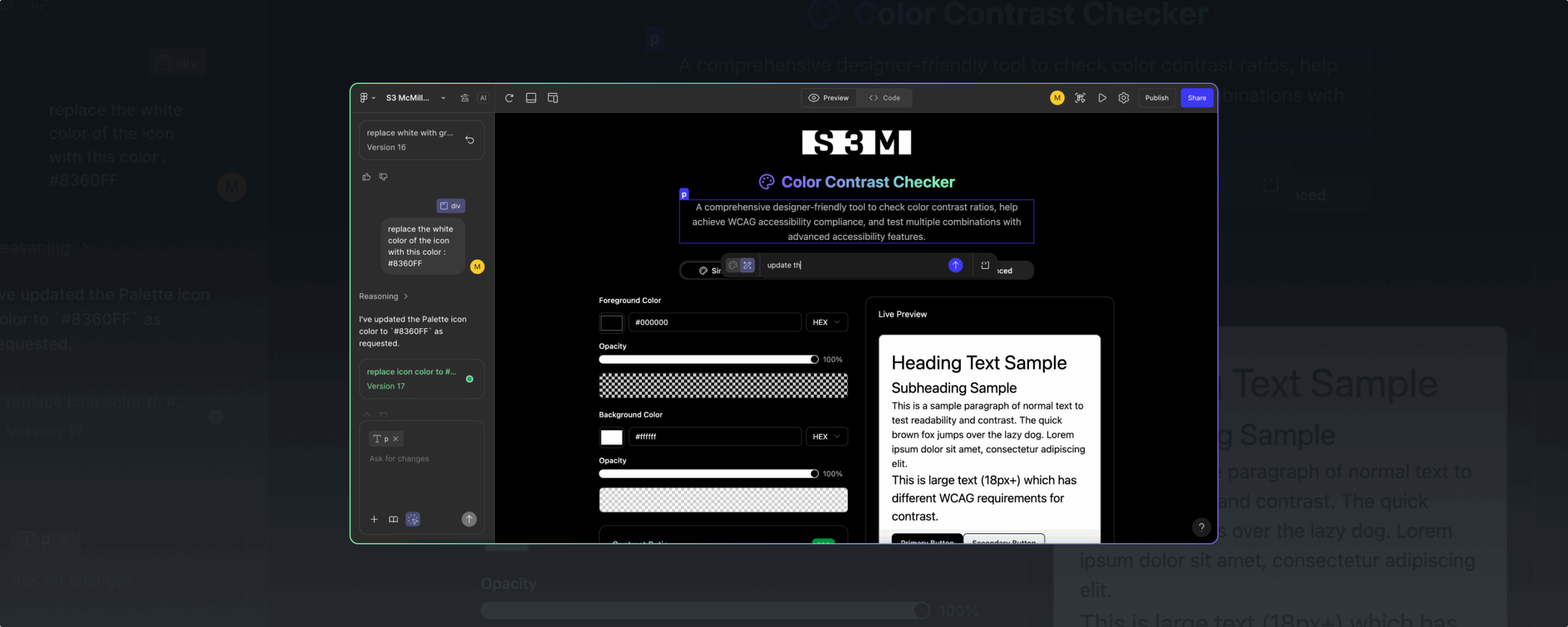
When Figma launched Figma Make, its AI-powered prompt-to-app feature that lets you bring ideas to life as high-fidelity prototypes and web apps, we knew we had to get our hands dirty. What we didn’t expect was to create a fully robust accessibility checker that actually works – and that it would take just minutes to make!
It’s one of several experiments our team has done recently as tools like Figma Make remove coding barriers to help designers test their ideas faster. And that’s the true game-changer: we’re experiencing a transformational shift toward a more dynamic, iterative workflow.
Here’s how we approached the contrast checker:
- Problem: We couldn’t find a color-contrast checker with all the features we wanted, like the ability to batch-test color combinations.
- Prompt: We asked ChatGPT to create an outline for the website we wanted, complete with its audience (designers) and mandatory features.
- Paste: We pasted ChatGPT’s results into Figma Make.
- Perfect: We perfected the Figma output through a combination of prompt refining and direct interface editing.
In four short steps, we solved a problem for ourselves and made our design process that much more efficient. And now, the S3M Color Contrast Checker is yours to do the same with, but with a caveat: this doesn’t guarantee accessibility compliance. While you’ll still want to leverage your resources to ensure you are up to the latest WCAG compliance levels your company requires, this does help get you there quicker during the design process.
What’s next
As new AI design tools continue to emerge, we’re taking an exploratory, experimental approach to push boundaries and understand their limits. But we’re not delusional.
Tools like Figma Make are making it easy to design websites and generate code, but they aren’t replacing designers. Designers play a critical role in defining the scope of a project, providing prompts based on thoughtful strategies, and finessing the outputs.
The ability to prototype ideas instantly is only as powerful as the designer in the driver’s seat. In the words of Matt Brissette, our senior digital designer who came up with and executed our Color Contrast Checker, “I like taking an idea I had in my head, quickly executing and visualizing it, but I don’t consider it final.”
Still…not bad for something he built during his coffee break.